 how-to
How to Automate Restaurant Email Campaigns That Fill Tables
Last Updated: November 4, 2026
Quick Summary
Automating restaurant email campaigns means sending triggered, behavior-based messages to diners automatically instead of manually blasting your whole list. Automated sequences pull about 45% higher engagement than one-off blasts, and automated messages generate over 300% more revenue than standard campaign sends.
- Connect your POS to a CRM so new diners flow in automatically after every visit.
- Segment diners by visit frequency, average spend, favorite menu categories, and usual time of day.
- Four workflows cover most needs: welcome, birthday, win-back, and post-visit follow-up.
- Set a win-back trigger at 90 days of inactivity, then send a stronger offer at 120 days.
- A safe rhythm is two to four emails per month per diner, plus triggered messages.
Table of Contents
- Why Automated Email Campaigns Beat One-Off Blasts
- Step 1: Build Your Guest Database and Subscriber List
- Step 2: Segment Diners for Personalized Messaging
- Step 3: Set Up Core Automated Workflows and Drip Campaigns
- Restaurant Email Marketing Templates That Fit Every Trigger
- Choosing the Best Email Marketing Software for Restaurants
- Email Marketing Best Practices for Hospitality Teams
- Track Performance and Turn Automation Into Loyalty
- Frequently Asked Questions
Why Automated Email Campaigns Beat One-Off Blasts
Automating restaurant email campaigns is the practice of sending triggered, behavior-based messages to diners automatically instead of manually blasting your whole list. According to Eat App's restaurant email marketing analysis, automated sequences pull about 45% higher engagement than one-off blasts.
Manual blasts have three problems. They arrive at random times. They say the same thing to everyone. And they stop the moment the owner gets busy.
Automation fixes all three:
- Messages fire on a trigger, not a to-do list
- Content adapts to what each diner actually did
- The system keeps working during a Friday rush
Revenue tells the sharper story. Robly's 2026 email benchmarks report that automated messages generate over 300% more revenue than standard campaign sends.
That is why one-off blasts lose. Now let's build the machine.
Step 1: Build Your Guest Database and Subscriber List
A guest database is a structured list of diners you can contact, built from POS tickets, online orders, and opt-ins. Without it, automation has nothing to run on. Start by pulling every email you already own into one place.
Then grow it on purpose. Our guide to building a restaurant customer database walks through the full setup.
Connecting Your POS and CRM for Clean Guest Data
Most restaurants sit on years of guest emails trapped inside their POS. Export them. Then connect your POS to a CRM so new diners flow in automatically after every visit.
Watch out: duplicate records and dead addresses will wreck your open rates. Clean the list before you import, not after.
Opt-In Forms That Convert Diners Into Subscribers
Put opt-in forms everywhere guests already look:
- QR codes on table tents and receipts
- Wi-Fi login pages
- Online ordering checkout
Ask for one thing: an email address. Every extra field cuts signups.
Step 2: Segment Diners for Personalized Messaging
Segmentation is the practice of grouping diners by behavior and value so each message fits the person receiving it.
Build segments around real signals:
- Visit frequency (weekly, monthly, lapsed)
- Average spend per visit
- Favorite menu categories
For a deeper walkthrough, see our guide on using guest data for personalized dining.
Step 3: Set Up Core Automated Workflows and Drip Campaigns
A drip campaign is a scheduled series of emails that sends automatically after a trigger event. Four workflows cover most restaurant needs: welcome, birthday, win-back, and post-visit follow-up.
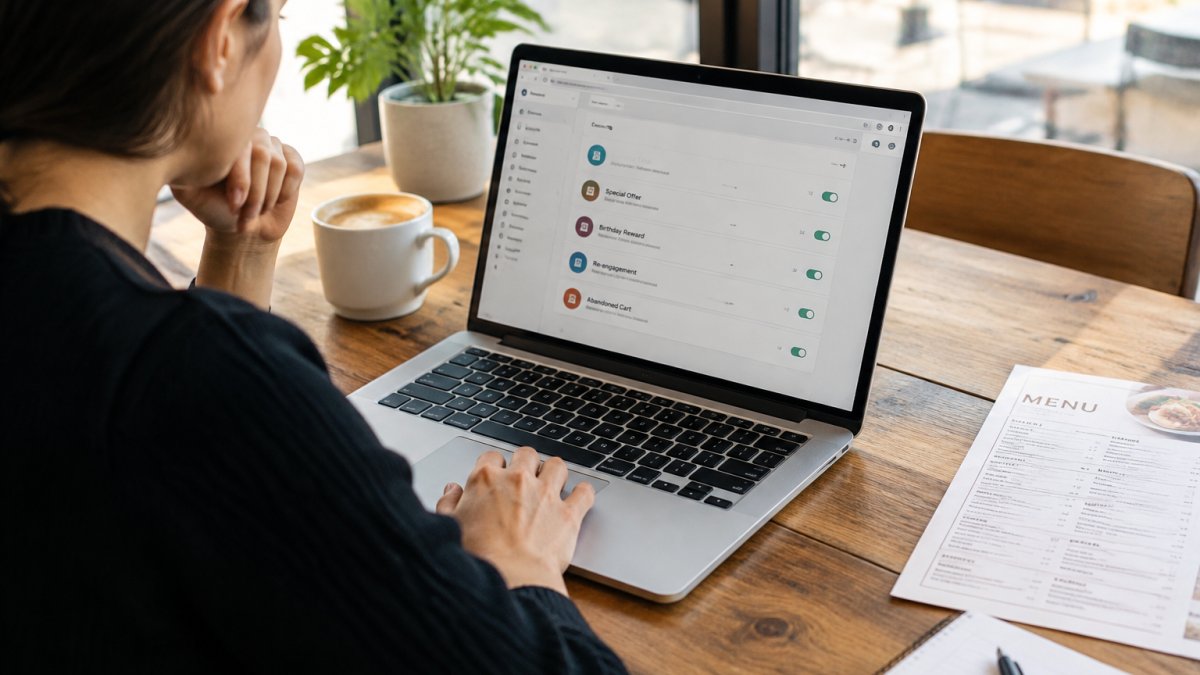
Set each one up once. Then let it run.
Our guide to restaurant email marketing automation workflows shows the exact sequences, timing, and copy for each.
The Automated Birthday Email for Restaurants That Gets Opened
Birthday emails work well because the occasion gives a natural reason to write. Sending a few days ahead gives guests time to plan.
Include one clear offer and one clear call to action. Keep the design simple.
Win-Back Triggers for Lapsed Diners
Set a win-back trigger at 90 days of inactivity. SevenRooms' restaurant marketing guidance recommends exactly that window for "we miss you" campaigns.
Send two messages: a friendly check-in at 90 days, then a stronger offer at 120. After that, stop. Silence beats nagging.
Restaurant Email Marketing Templates That Fit Every Trigger
Restaurant email marketing templates are pre-written message frameworks you adapt to each trigger. Here is a working set you can copy today.
| Trigger | Timing | Subject Line | Core Offer |
|---|---|---|---|
| Welcome | Instant signup | "Welcome in. Here's a treat." | Free appetizer on next visit |
| Birthday | 7 days before | "Your birthday month just got better" | Free dessert |
| Win-back | 90 days inactive | "We saved your table" | 15% off next meal |
| Post-visit | 2 days after | "How was Thursday?" | Feedback link plus perk |
Keep every template short. One image, one offer, one button.
Choosing the Best Email Marketing Software for Restaurants
The best email marketing software for restaurants is the one that can read your POS data and fire a message from it without a developer. Feature lists are a distraction. The integration is the product.
What the Integration Actually Has to Do
A restaurant-grade connection moves data in one direction on a schedule: POS ticket closes, guest record matches or is created, tag updates, trigger evaluates, email sends. Ask any vendor three questions before you sign:
- Does the sync run automatically, or do I export a CSV?
- Which fields come across, email, visit date, spend, items ordered, location?
- How often does it refresh, real time, hourly, or nightly?
A nightly batch is fine for win-back and birthday flows. It is not fine for a post-visit survey that should land two days after the meal, because a Friday dinner synced Sunday night arrives Monday. Know which triggers you actually need before you accept a batch-only sync.
The Three Tiers of Restaurant Email Tools
Most operators end up in one of three stacks. Pick the tier that matches your volume, not the demo that impressed you.
- POS-native modules. Many restaurant POS platforms bundle an email tool that reads their own ticket data. The upside is zero integration work and no second vendor. The downside is shallow segmentation, limited template control, and no way to bring in data from a second channel like online ordering.
- Standalone email platforms with restaurant connectors. General email marketing platforms plus a restaurant-specific connector or app give you a real segment builder and behavior triggers on top of POS data. This is the most common stack for multi-location independents. Budget for the platform subscription plus any connector fee, and confirm the connector is maintained, a stale integration breaks silently.
- Restaurant marketing suites. Purpose-built suites bundle email with loyalty, guest CRM, and reporting. They cost the most and lock you in the hardest, but they remove the data-plumbing work entirely. Worth it when you have multiple locations and no one on staff to manage integrations.
A Low-Cost DIY Stack That Works
Independent operators do not need an enterprise contract. A workable budget stack looks like this:
- Export your historical guest emails from the POS once, clean them, and import.
- Connect the POS to a mid-tier email platform through its restaurant app or a Zapier-style automation.
- Build your four core workflows (welcome, birthday, win-back, post-visit) inside the email platform.
- Use the POS's own reporting for spend and visit data, and the email platform's reporting for opens and clicks.
- Revisit the stack when you pass roughly the volume where manual segment refreshes stop being reliable.
Watch out: free tiers usually cap contacts and strip behavior triggers, so a "free" plan can quietly block the exact automations you signed up for. Read the trigger limits, not the contact limit.
The Evaluation Checklist
Score each candidate on these, in this order:
- Native or maintained POS connection, with the sync frequency stated in writing
- Behavior-based triggers, not just date-based sends
- A segment builder you can operate without support tickets
That last one matters more than any feature. A platform that holds your guest list hostage is not a platform, it is a landlord.
For the workflow side of the setup, see our guide to restaurant email marketing automation workflows.
Email Marketing Best Practices for Hospitality Teams
Email marketing best practices for hospitality come down to frequency, timing, and testing. Send too often and people tune out. Send too rarely and they forget you.
A safe rhythm is two to four emails per month per diner, plus triggered messages. Keep every template mobile-friendly, since most diners open on a phone.
A/B Testing Food Photography and Subject Lines
Test one variable at a time. Food photography is the highest-use test in this category.
Try these pairings:
- Overhead dish shot vs. close-up texture shot
- Bright daylight vs. moody low-light
- Plated dish vs. diner mid-bite
Run subject line tests on the same segment, then keep the winner.
Staying Compliant With CAN-SPAM
CAN-SPAM is the federal law governing commercial email in the United States. It requires an honest subject line, a physical mailing address in every message, and a working unsubscribe link. The FTC's CAN-SPAM compliance guide spells out each requirement.
Honor opt-outs promptly. Keep records.
Track Performance and Turn Automation Into Loyalty
Tracking turns automation from a guess into a system. The goal is not a prettier dashboard. It is knowing which workflow earns its keep and which one should be rewritten or switched off.
The Four Numbers That Matter
- Open rate, opens divided by delivered. Treat it as a subject-line and sender-reputation signal, not a business result. Apple's Mail Privacy Protection inflates opens on Apple devices, so compare open rates within your own list over time rather than against a published industry average.
- Click-through rate, clicks divided by delivered. This is the number that tells you whether the offer and the image did their job.
- Conversion rate, the action you asked for divided by clicks. Define the action per workflow: a redeemed offer code, a completed online order, a survey response.
How to Attribute Revenue to a Workflow
The hard part is proving a win-back email caused a visit rather than coinciding with one. Three approaches, in order of reliability:
- Unique offer codes. Give each workflow its own code and reconcile redemptions in the POS. This is the cleanest attribution available to a restaurant and requires no extra software.
- Tracked links plus a defined window. Count a conversion when a click is followed by a POS visit from the same guest within a set window, typically seven days. State the window in your reporting so the numbers stay comparable month to month.
- Holdout segments. Withhold a small random slice of a segment from a campaign and compare visit rates. This is the only method that isolates causation, and it is worth running once a quarter on your highest-volume workflow.
Reading the Dashboard by Workflow
Report each workflow separately. A blended account-level open rate hides a dead win-back sequence behind a strong welcome series.
- Welcome series, watch click-through on the first message. If it is weak, the offer is too vague or the send is too slow after signup.
- Birthday, watch redemption rate. A high open rate with low redemption means the offer is not worth acting on.
- Win-back, watch reactivation rate and, critically, whether reactivated guests come back a second time. A win-back that produces one discount-driven visit and no return is a cost, not a win.
Watch out: judging a workflow in its first two weeks will mislead you. Birthday and win-back sequences need a full cycle of your guest base to produce a usable sample, so set a review date before you launch and resist rewriting copy on day three.
A Monthly Review Rhythm
Once a month, do four things:
- Pull revenue per email sent for every active workflow and rank them.
- Flag any workflow below your own trailing average and read its last three sends.
- Run one A/B test on the weakest workflow, changing a single variable.
That cadence is what separates a system from a set of emails you set up once and forgot. The Regulars Club connects diners with local restaurant membership clubs, exclusive perks and rewards while helping restaurants build recurring revenue. For the full measurement framework, see our guide on measuring restaurant marketing ROI.
Automation brings diners back. A Restaurant Membership Program gives them a reason to keep coming back. The Regulars Club is a restaurant membership and loyalty platform that lets independent restaurants create their own member-only offers, which can be added to their existing POS as coupon buttons for easy redemption.
Get started with The Regulars Club and turn occasional guests into regulars.
Frequently Asked Questions
What types of automated emails should every restaurant send?
Start with four core flows: a welcome series for new subscribers, a birthday message, a win-back trigger for guests who have not visited in 90 days, and a post-visit follow-up. Welcome emails are a strong flow to build first. Add seasonal promotions and menu highlights once the core flows run smoothly, and review each flow quarterly so the messaging does not go stale.
How do I segment my restaurant email list for better engagement?
Segment by behavior and value, not just demographics. Useful buckets include first-time guests, repeat diners, lapsed guests with no activity in 90 days, birthday month, and guests who order specific menu categories. Pull this data from your POS and CRM so segments update automatically. Behavior-triggered automation based on visit history is a common way to personalize messages. Smaller, behavior-based segments consistently outperform one large list because each message matches what the diner actually does.
How often should a restaurant send automated marketing emails?
Automated flows fire based on guest behavior, so frequency depends on the trigger, not a calendar. A welcome series might send two or three messages in the first two weeks, while a win-back email goes out once after 90 days of inactivity. For scheduled campaigns like seasonal promotions, one to two sends per month keeps you visible without fatigue. Watch open rates and unsubscribe rates as your signal: a steady drop in opens means you are sending too often or to the wrong segment.
How can email automation help increase customer loyalty?
Automation keeps your restaurant in front of diners at the moments that matter: right after a visit, on their birthday, and when they have drifted away. Personalized, well-timed messages make guests feel recognized, which is the core of diner loyalty. Automated messages can help keep your restaurant top of mind with diners. Pair automation with a membership program like The Regulars Club to give those messages a concrete perk to promote.