 how-to
How to Build a Restaurant Customer Database
Table of Contents
- Start with a Restaurant Customer Data Collection Plan
- Restaurant Email List Building That Actually Gets Signups
- Choose the Right Restaurant Customer Relationship Management Software
- Restaurant Customer Retention Strategies That Use Your Data
- Privacy, Consent, and Communication Preferences
- How to Measure Whether Your Database Is Working
- Conclusion
- Frequently Asked Questions
Last Updated: October 17, 2026
Start with a Restaurant Customer Data Collection Plan
Building a restaurant customer database starts with a written plan, not a signup sheet. Decide what you'll collect, where it lives, and who owns it before you ask a single guest for an email.
Your plan needs three parts: the fields you capture, the system that stores them, and the reason each guest would hand over their info. Skip the third part and the first two don't matter.
What to Collect (and What to Skip)
Collect the minimum that lets you recognize and reward a guest:
- First name and email address
- Mobile number, only if you'll send text offers
- Visit frequency and average spend, pulled from your POS
- Favorite items or dietary notes, when a guest volunteers them
- Birthday month, for a simple annual touch
Skip anything you can't act on. Home address, full birth date, and income data add risk without adding value. A common mistake is building a 15-field form because the software allows it. Guests abandon long forms, and the extra fields sit empty.
Restaurant Email List Building That Actually Gets Signups
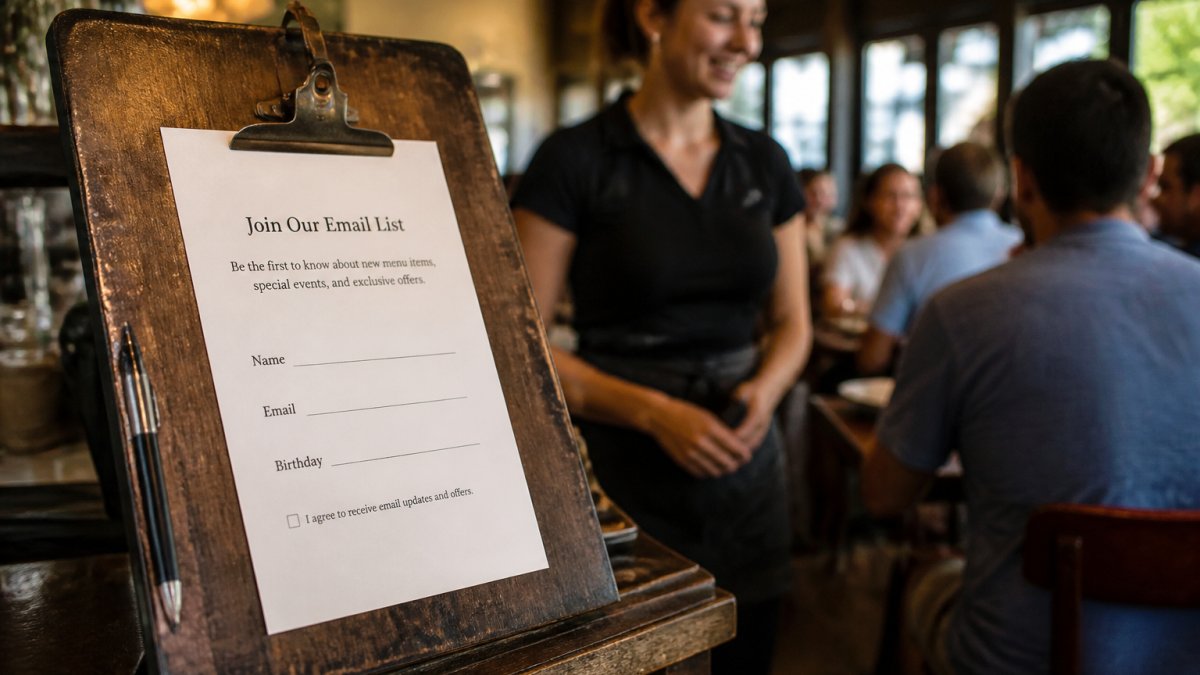
Restaurant email list building works when the ask is specific and the reward is instant. "Join our newsletter" gets ignored. "Get a free appetizer on your next visit" gets signups. The difference is a clear trade.
In-House Signup Tactics That Work
Train servers to ask at the right moment. The best time is right after a guest compliments the food, not at payment. A short line works: "If you liked that, our members get first access to new menu items.
Other tactics that pull their weight:
- A QR code on the receipt that links straight to a two-field form
- A tablet at the host stand for walk-ins
- A monthly drawing for a gift card, entered by signup
- A table card with a clear, single offer
Keep the form to two fields. Every extra field cuts completion. Many restaurants find a QR code plus a server prompt outperforms a paper signup sheet by a wide margin.
Choose the Right Restaurant Customer Relationship Management Software
Restaurant customer relationship management software is the system that stores guest profiles, tracks visits, and sends messages. The right choice depends on your POS and your budget, not on the longest feature list.
Look for four things: POS integration, automatic visit tracking, simple segmentation, and a way to redeem offers at the register. If a tool can't push a discount into your existing POS, staff will skip it during a rush.
| Need | What to Look For | Why It Matters |
|---|---|---|
| Visit tracking | Automatic POS sync | No manual data entry |
| Offers | POS coupon buttons | Fast redemption at checkout |
| Messaging | Email and text | Reach guests where they read |
| Segmentation | Visit count, spend, last visit | Target the right guests |
POS Integration and Data Hygiene
Data hygiene means keeping records clean and current. Duplicate emails, dead addresses, and misspelled names pile up fast.
POS integration is the part most guides miss. A system that syncs with your register captures every visit without staff effort.
The Regulars Club was built for this exact problem. Restaurants add member discounts directly into their POS as coupon buttons, so redemption takes one tap.
Restaurant Customer Retention Strategies That Use Your Data
Restaurant customer retention strategies only work when the data drives the message and the timing. A guest who visits twice a month needs a different nudge than one who hasn't come in since spring, and a returning guest needs a different ask than a first-timer.
Segment by last visit first. That single field tells you who's slipping away and who's already a regular.
- Active regulars (visited within 30 days): thank them, offer early menu access, and ask for feedback on what's new since their last visit
- Lapsing guests (31-90 days): send a "we miss you" offer after a set gap, and reference a specific item they ordered before
- At-risk guests (91-180 days): one restrained win-back message with a clear reason to return; stop after two attempts
- One-time visitors: invite them back with a specific reason (a new menu item, a seasonal special)
- Big spenders: recognize them with a member perk and a personal note, not a discount blast
A Repeat-Guest Request Strategy
Most retention advice treats every guest the same. The operators who build durable databases do the opposite: they acknowledge that a guest has been in before and change the ask accordingly.
- Acknowledge the return. "Good to see you again, was the short rib as good as last time?" is a better opener than a generic greeting, and it signals you're paying attention.
- Don't repeat the same generic ask. If a guest already joined your list, don't ask them to join again. Ask for something new: feedback on a recent visit, a preference update, or a referral.
- Invite feedback on what changed. Returning guests notice menu changes, service changes, and remodel work. A short "What's different since your last visit?" prompt produces more useful feedback than a star rating.
- Use the data you already have. Reference their last order, their usual day, or their preferred channel. A message that says "Your usual table's waiting, Maria" beats a generic blast every time.
A Timed, Multichannel Follow-Up Sequence
Retention depends on a schedule, not a single send. A workable pattern most practitioners use:
- In person, at the table: a short thank-you and a verbal invitation to join the list or share feedback.
- Same day or next morning: a post-visit email with a one-click feedback link and a clear opt-out.
- Day 7-10: one restrained reminder, only to guests who haven't opened or responded. Stop after this.
- Day 30 (lapsing only): a single win-back message with a specific reason to return.
- Day 90+ (at-risk only): one final attempt, then suppress the contact from active sends.
Stop rules matter as much as send rules. Two unanswered messages is the practical ceiling for most independent operators; beyond that, engagement drops and opt-outs climb.
Ready-to-Use Templates for Returning Guests
Short, specific scripts outperform long ones. Adapt these to your voice:
- In person: "Good to see you again. If you liked the new menu, would you mind leaving a quick note? It helps us more than you'd think."
- Email, returning guest who hasn't reviewed: "Thanks for coming back, [Name]. You ordered the [item] last time, we'd love to know how this visit compared. One-click feedback here: [link]."
- Text, returning guest who has reviewed before: "[Name], thanks for the review last month. We changed the [item] since then, curious what you think. Reply STOP to opt out."
- Email, lapsing guest: "[Name], it's been a while. We added [specific item] since your last visit, here's a reason to come back: [offer]."
Measuring Repeat-Guest Performance
Track repeat-guest behavior separately from overall list health. Useful metrics:
- Request-to-review conversion: reviews received divided by requests sent, split by channel
- Review volume by channel: in-person, email, and text, tracked separately
- Response rate: how many guests reply or click through
- Repeat-guest review rate: share of reviews from guests with two or more visits
- Opt-out rate: by channel, to catch over-messaging early
Set a baseline in month one, then watch the trend. If review volume climbs but repeat-guest review rate falls, your requests are reaching first-timers more than regulars, adjust the timing and the ask.
The Regulars Club gives members a reason to return: member-only perks, free food offers, and monthly rewards, all shown by simply presenting an active membership. For owners, that turns occasional diners into regulars without rebuilding your marketing from scratch.
Privacy, Consent, and Communication Preferences
Consent is the backbone of a database you can actually use. Under rules like the FTC's guidance on email marketing and CAN-SPAM, commercial email needs a working opt-out and honest subject lines.
Give guests a choice on channel. Some want texts, some want email, some want neither. Store the preference next to the contact and respect it every time.
Include a simple privacy note at signup: what you'll send, how often, and how to leave. A one-line opt-out link in every message keeps you compliant and keeps trust intact.
How to Measure Whether Your Database Is Working
Measure the database by what it produces, not how big it gets. A list of 5,000 that never opens is worth less than 500 engaged guests.
Track these numbers monthly, and split them by channel where it matters:
- Signup rate: signups divided by guests served, tracked by source (server prompt, QR code, host stand, table card)
- Open rate: how many read your messages, by email vs. text
- Redemption rate: offers used at the POS, by offer type
- Repeat visit rate: guests who return within 60 days
- Revenue per contact: spend from database guests
- Request-to-review conversion: reviews received divided by requests sent
- Review volume by channel: in-person, email, and text, tracked separately
- Repeat-guest review rate: share of reviews from guests with two or more visits
- Opt-out rate: by channel, to catch over-messaging early
A Simple Monthly Review
Set a baseline the first month, then watch the trend. A practical pattern:
- Compare each metric to last month and to the baseline.
- Flag any channel where opt-out rate is climbing, that's the earliest signal of over-messaging.
- If redemption climbs but repeat visits don't, your offers may be attracting deal-seekers rather than regulars. Adjust the offer and recheck.
- If review volume climbs but repeat-guest review rate falls, your requests are reaching first-timers more than regulars, shift the timing and the ask.
Stop Rules and Suppression
Measurement only helps if it changes behavior. Build two stop rules into your process:
- Message ceiling: two unanswered messages per guest per quarter, then suppress from active sends.
- Channel preference: if a guest opts out of text, move them to email only; if they opt out of both, remove them from marketing sends but keep the transaction record.
For more on how loyalty programs move these numbers, see loyalty program benchmarks and consumer research for context on what diners expect from rewards.
Conclusion
Most restaurants collect names and never use them. The ones that win treat the database as a living asset: clean data, clear consent, and offers that match each guest's behavior.
That's the problem The Regulars Club solves for independent operators. Through its Restaurant Membership Program, members get exclusive perks and monthly rewards, while owners add member discounts straight into their existing POS as coupon buttons.
Ready to turn occasional diners into regulars? Get started with The Regulars Club and put your guest data to work.
Frequently Asked Questions
What information should a restaurant collect from customers?
Collect the minimum needed to personalize service and marketing: name, email address, phone number (optional), and visit frequency or favorite items. For a restaurant customer database, ask for birthday month and dietary preferences only if you will actually use them. Skip sensitive data like full addresses or payment details unless required for a specific program. Always get explicit permission before adding someone to your email list, and tell them how you will use their information.
How can a restaurant use customer data to encourage repeat visits?
Use your restaurant customer retention strategies to segment guests by visit frequency and preferences. Send a personalized thank-you message after a visit, offer a birthday reward, or invite regulars to try a new menu item. A membership or loyalty program like The Regulars Club can automate perks and give returning guests a reason to come back. Track which offers drive visits and adjust your outreach based on what your data shows.
What tools can restaurants use to manage customer information?
Look for restaurant customer relationship management software that integrates with your POS system. Basic options include email marketing platforms with CRM features, while dedicated restaurant CRMs can track visit history, preferences, and loyalty points. Many independent restaurants start with a simple spreadsheet and a free email tool, then upgrade as their list grows. The key is choosing a system that fits your budget and workflow, and that makes it easy to export your data if you switch later.