 How-to
Are You Collecting Guest Feedback the Right Way?
Last Updated: November 11, 2026
Quick Summary
Collect guest feedback at the table or on the receipt while the visit is fresh, using a short QR code survey, a point-of-sale tablet, or a comment card. Keep surveys to about three specific questions, tie responses to real checks through your POS, and close the loop by replying within 24 hours.
- QR code surveys work because there is no app to download and no email required.
- Cutting a survey from ten questions to three typically does more for completion than any reward.
- Reward the act of responding, never a positive rating, to protect your data and avoid legal exposure.
- Reply to negative comments within 24 hours and name the fix, not just an apology.
- Teach servers to ask one simple table question and flag serious issues before the guest leaves.
Table of Contents
- Why Most Guest Feedback Never Reaches You
- Start With Table-Side and Receipt Methods
- Restaurant Survey Questions That Get Real Answers
- Restaurant Feedback Templates You Can Copy Today
- Customer Feedback Tools for Restaurants: What to Look For
- How to Incentivize Restaurant Feedback Without Cheapening It
- Handling Negative Feedback and Closing the Loop
- Train Your Staff to Ask, Then Act on What They Hear
- Frequently Asked Questions
Why Most Guest Feedback Never Reaches You
Most restaurants lose feedback before it's written down. A diner has a small problem, says nothing, and never comes back. At The Regulars Club, we see this constantly: the complaint that never reached a manager is the one that costs you a regular.
Guest feedback is any direct or indirect signal a diner gives about their experience, from a table-side survey to a quiet comment at the door. Collecting it well separates guessing from knowing.
Three things usually go wrong:
- Surveys arrive too late, after the memory fades
- Questions are too vague to act on
- Nobody closes the loop, so guests stop bothering
Fix those and your response rates climb. Here's how.
Start With Table-Side and Receipt Methods
The best moment to collect feedback is before the guest leaves the building. Table-side and receipt methods catch reactions while they're fresh.
QR Code Surveys on Tables and Receipts
A QR code survey is a scannable link printed on a table card or receipt that opens a short feedback form. It works because there's no app to download and no email required.
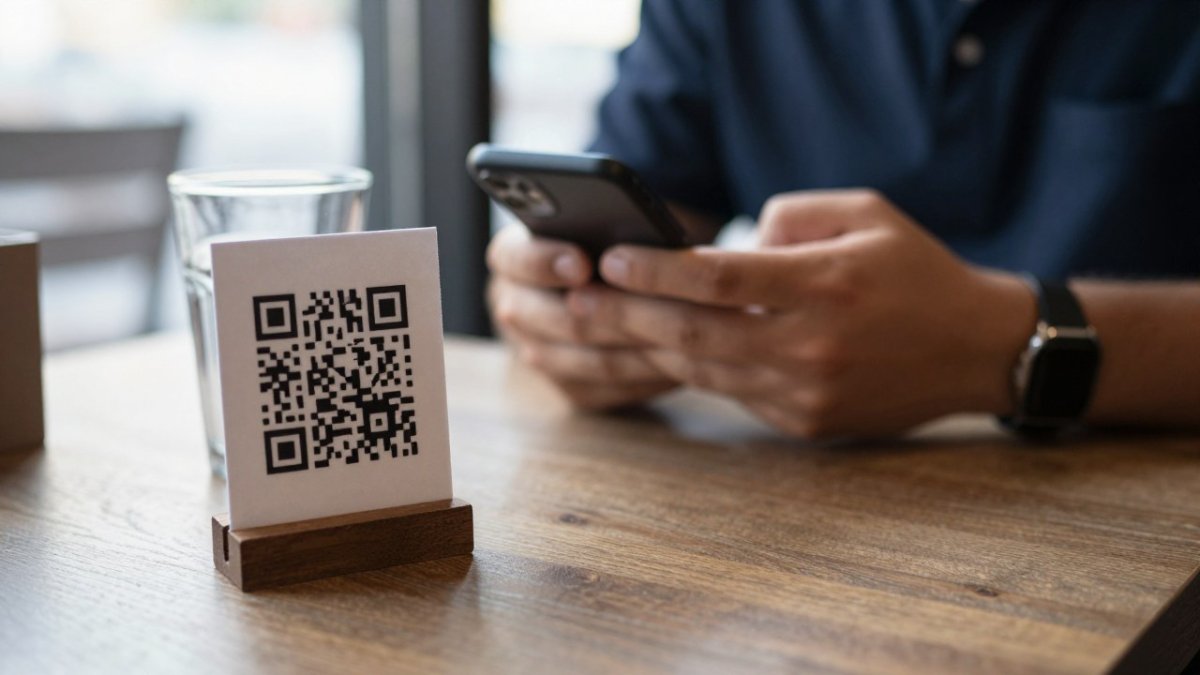
Watch out: codes linking to a slow or broken page waste the one moment a guest is willing to respond.
Digital Survey Tablets at the Point of Sale
A tablet at the point of sale catches guests at checkout, when the visit is still fresh.
Comment Cards for Offline Feedback Collection
Comment cards still work for guests who don't want to use a phone. They're cheap, and older diners often prefer them.
Restaurant Survey Questions That Get Real Answers
Good restaurant survey questions are short, specific, and easy to answer. Vague prompts like "How was everything?" produce vague data.
Mix two types of questions:
- Quantitative data: ratings on a 1-5 scale for food, service, and ambiance
- Qualitative insights: one open-ended question like "What's one thing we could improve?"
Ask about the visit, not the brand. "Was your server attentive?" beats "How satisfied are you overall?"
Restaurant Feedback Templates You Can Copy Today
Here's a short set of restaurant feedback templates you can use right away.
QR card prompt:
"Thanks for dining with us. Scan here for a 30-second survey.
Three-question digital survey:
- Rate your food (1-5)
- Rate your service (1-5)
- What's one thing we could do better? (open text)
Follow-up text message:
"Hi [name], thanks for visiting [restaurant] tonight. How was your meal?
Comment card:
"Name (optional): ___ | Server: ___ | What did we get right? ___ | What should we fix? ___"
Keep every template under a minute to complete. Speed drives response rate.
Customer Feedback Tools for Restaurants: What to Look For
The right customer feedback tools for restaurants do four things well: collect, organize, alert, and report. But the four tool categories behave very differently, and the choice determines how much feedback you can act on.
The Four Tool Categories
- QR and short-link survey platforms. A hosted form behind a scannable code or text link. Fastest to launch, no hardware, no app. The trade-off: responses arrive without a visit record unless you pass a table or check number through the link.
- Tablet and kiosk survey hardware. A mounted device at the point of sale or on the table. Highest completion rate because the prompt is physical, but you own charging, cleaning, screen replacement, and loss. The hardware cost only pays back at high covers per location.
- Text-message and email follow-up platforms. A one-question survey after the visit using contact details captured at payment or through a loyalty sign-up. Best for reaching guests who left without commenting, but deliverability and opt-out handling become your problem.
How Feedback Tools Actually Sync With a POS
This is the part most buying guides skip. Three common integration patterns exist, and they are not interchangeable.
- API integration. The feedback tool calls the POS API to pull check-level data, items ordered, server ID, check total, timestamp, and writes the survey response back against that check. Cleanest reporting, since a comment about a cold entree traces to the exact ticket. Requires a documented API and usually a middleware or partner account.
- Flat-file or nightly export. The POS exports a CSV of closed checks on a schedule, and the feedback tool matches responses by check number or timestamp. Cheaper and vendor-agnostic, but matching is imperfect and reporting lags by a day.
- No integration. The feedback tool stands alone and the guest self-identifies (table number, server name typed in). Lowest cost, lowest data quality, and the reason so many operators cannot tell whether a complaint is a one-off or a pattern.
Before you sign anything, ask the vendor three questions: Which POS systems do you have a documented API partnership with? How is a response matched back to a check? And what happens to historical responses if we change POS systems? The same care in preserving feedback across a system change can carry into post-event follow-up, where Event Photojournalism can help keep the experience vivid as you build lasting attendee relationships.
Privacy and Data Compliance
Collecting an email address or mobile number for a follow-up survey means handling personal data, and the rules apply to restaurants like any other business.
- Consent must be specific. A guest who gives an email for a receipt is not automatically opting in to marketing or survey texts. Capture consent separately, at the point of collection, and log the timestamp.
- Text-message surveys need opt-in under the TCPA. The Telephone Consumer Protection Act governs automated texts to mobile numbers, and penalties are assessed per message. Use a platform that handles opt-in capture, STOP handling, and quiet-hours rules rather than texting from a staff phone.
- California guests have CCPA rights. If you meet the thresholds, guests can request to know what data you hold and ask you to delete it. Your feedback tool needs an export and delete function, and your privacy notice needs to name the categories of data collected.
Watch out: a feedback tool that stores guest phone numbers in a spreadsheet on a manager's laptop is a compliance problem waiting to surface, regardless of how good the survey questions are.
The Checklist That Actually Matters
| What to Check | Why It Matters | What to Avoid |
|---|---|---|
| Documented POS API | Ties feedback to real checks and servers | Tools that only match by table number |
| Real-time alerts | Lets you fix issues same-day | Weekly-only reports |
| Sentiment and topic sorting | Sorts comments by food, service, ambiance | Raw text with no sorting |
| Consent capture and opt-out handling | Keeps SMS and email programs compliant | Tools that text from a staff phone |
| Data export and delete | Supports guest privacy requests | Vendors who cannot produce a guest's data |
| Simple setup | Staff will actually use it | Long training cycles |
If you want a structured way to run the process, our guide on managing restaurant member feedback and engagement walks through it step by step.
One insider note: a tool is only as good as the person reading the alerts. Pick software your team will open daily, and whose reporting your POS can actually feed.
How to Incentivize Restaurant Feedback Without Cheapening It
How to incentivize restaurant feedback comes down to one rule: reward the act of responding, not a positive rating. Paying for good reviews backfires and can violate platform rules. The Federal Trade Commission has repeatedly acted against businesses that buy or suppress reviews, and a restaurant tying a reward to a five-star rating exposes itself to that risk.
What Actually Moves Response Rates
Most practitioners find the biggest lift comes from three things, in this order:
- Making the survey shorter. Cutting a survey from ten questions to three typically does more for completion than any reward.
- Asking at the right moment. A prompt at the table or on the receipt outperforms a next-day email because the memory is fresh.
- Offering a small, immediate thank-you. A dessert, a drink, or a loyalty credit redeemed on the next visit converts far better than a chance to win something later.
Sweepstakes entries and monthly drawings sound attractive but underperform because the payoff is distant and uncertain. Use them as a secondary layer, not the primary incentive.
Incentive Structures That Work
- A small item on the next visit. A dessert, a coffee, or a drink. Low cost, high perceived value, and it brings the guest back, which is the point.
- Loyalty points for completing a survey. Double points or a flat bonus credited to the guest's membership account. The cleanest structure because the reward lives inside a program you already control and needs no discount code.
- Early access to a new menu item. Costs nothing at the margin and signals that the guest's opinion is valued.
Loyalty programs and membership perks are the cleanest route overall. Members already feel invested, so they respond more often and at higher rates than anonymous guests. That's where a membership like The Regulars Club fits: members show their card, and restaurants add offers as coupon buttons in their existing POS, so the reward is redeemed inside the same system that rang the original sale, and the response stays tied to the check. A Restaurant Membership Program gives you that structure, and the recurring revenue it generates helps fund the incentives without eating into margin on every visit.
Incentives That Backfire
- Discounts tied to a positive rating. Avoid outright. It corrupts the data and creates legal exposure.
- Deep discounts on the next visit. A half-off offer trains guests to expect a reward every time and erodes margin on guests who were going to return anyway.
- Cash or gift cards for reviews. Expensive, hard to administer, and the guests most motivated by cash are the least representative of your regulars.
The Compliance Layer Most Guides Skip
Incentives touch two rules restaurant operators often miss.
- Disclosure. If a guest receives something of value in exchange for a review posted publicly, the FTC's endorsement guidance expects that relationship to be disclosed (the FTC). Keep incentives for private surveys separate from incentives for public reviews, and if you do reward a public review, make the disclosure explicit.
- Tax treatment. A reward redeemed as a discount on a future purchase is generally treated as a price adjustment, while a gift card or cash equivalent may be reportable. Confirm the treatment with your accountant before you scale a program, and keep a record of what was given and to whom.
Watch out: an undocumented incentive program, no record of who received what, no consent log for the contact details used to deliver it, is the version most likely to cause trouble later.
A Simple Structure to Start With
Pick one primary incentive and one secondary layer. For example: a dessert or drink on the next visit for completing a table-side survey, plus double loyalty points for members. Measure response rate before and after, changing one variable at a time. If the response rate does not move within a month, the incentive is not the problem, the survey length or timing is.
Handling Negative Feedback and Closing the Loop
Closing the feedback loop means telling the guest what you did with their comment. It's the step most restaurants skip, and the one that builds repeat patronage.
A simple process:
- Read every negative comment the same day
- Reply within 24 hours when you have contact details
- Name the fix, not just an apology
- Log the issue so patterns show up
If a guest had a bad experience, our guide on handling restaurant service recovery covers the conversation step by step. For issues that keep repeating, see handling recurring restaurant service complaints.
For a deeper look at turning comments into service changes, read how to use guest feedback to improve restaurant service.
Watch out: apologizing without a fix teaches guests their feedback doesn't matter.
Train Your Staff to Ask, Then Act on What They Hear
Staff training is the gap most guides miss.
Teach three habits:
- Ask one simple question at the table, like "How's everything so far?"
- Write down what they hear, even the small stuff
- Flag anything serious to a manager before the guest leaves
Role-play the awkward moments: a cold dish, a long wait, a wrong order.
For a fuller training plan, our restaurant staff training tips for better service guide covers scripts and coaching.
Then act on what they hear. A team that reports problems and sees them fixed keeps reporting.
Collecting guest feedback only pays off when it reaches someone who can act.
Frequently Asked Questions
What is the most effective way to collect guest feedback after dining?
Text or SMS follow-up sent within two hours of the meal gets the highest response rates, because the visit is still fresh. Pair it with a table-side QR code for guests who prefer to answer before they leave. Keep the survey to three questions or fewer, and always include one open-ended question so guests can explain their rating in their own words.
What are the best restaurant survey questions to include?
Start with a single rating question on food, service, and ambiance, then add one open-ended question such as what could have made tonight better. Avoid leading questions and long grids. Three to five questions is the sweet spot for completion. If you want to track trends over time, keep the same core questions every month so you can compare results.
How do you handle negative feedback from restaurant guests?
Respond within 24 hours, thank the guest for telling you, and name the specific fix you are making. A short, personal reply beats a coupon. If the issue was service-related, address it with the team that shift. Track repeat complaints by category so you can spot whether the problem is food quality, timing, or ambiance, and fix the process rather than the symptom.
How can restaurants incentivize feedback without skewing the results?
Offer a small thank-you that is not tied to a positive rating, such as a free dessert on the next visit or entry into a monthly drawing. Never gate the reward on a five-star score, because that trains guests to inflate ratings. A loyalty membership works well here: members get perks for participating, and you get honest feedback tied to a real guest profile.