 How-to
How to Turn Social Media Followers Into Restaurant Email Subscribers
Quick Summary
Restaurant email marketing for social media followers means inviting people who already like your posts onto a list you own, using one clear perk and one signup link per profile. Social reach is fragile and platforms rent your audience, while an email list lets you reach guests directly and drive repeat visits. Confirm consent immediately and track signups by source.
- Offer one specific perk, such as early access to a seasonal menu or a members-only drink special.
- Put the signup link in Instagram and Facebook bios and the TikTok profile, with one landing page per platform.
- Place a printed QR code card at the host stand and on each table pointing to the same landing page.
- Send a welcome email right away to confirm consent and set expectations for frequency.
- Never add scraped, purchased or unconsented follower data, because it hurts deliverability and trust.
Table of Contents
- Why Restaurant Email Marketing Works Better With Social Followers
- How to Convert Social Media Followers Into Email Subscribers, Step by Step
- Restaurant Email Examples You Can Adapt Today
- Restaurant Email Marketing Best Practices for Frequency, Consent and Privacy
- Restaurant Email Marketing for Social Media Followers Template
- Using Mailchimp for Restaurant Email Marketing
- Start Your First Social-to-Email Campaign This Week
- Frequently Asked Questions
Why Restaurant Email Marketing Works Better With Social Followers
Restaurant email marketing for social media followers turns people who like your posts into guests who actually come back. Social platforms rent your audience. Your email list is one you own.
Social reach is valuable, but it is fragile. A post might reach a few hundred people today and almost nobody next week.
The followers who love your food are the best people to invite onto your list, and that list is what drives repeat visits. Programs like the Restaurant Customer Loyalty Program are built around exactly this idea: turning one-time visitors into guests who keep coming back.
Email open rate and engagement benchmarks
How to Convert Social Media Followers Into Email Subscribers, Step by Step
The goal is simple: give followers a clear reason to join your list, and make joining take seconds. Start with one offer, one signup link and one promise you can keep. Then build the path from each social profile to a consent-based signup so you can see what actually works.
- Pick one reason to join. Offer early access to a seasonal menu, a members-only drink special or a monthly perk. One offer beats a menu of offers because followers can decide in a glance.
- Put the signup link where people already look. Add it to your Instagram and Facebook bio, and link it in your TikTok profile. Use a single dedicated landing page per platform so you can tell which profile produced each signup.
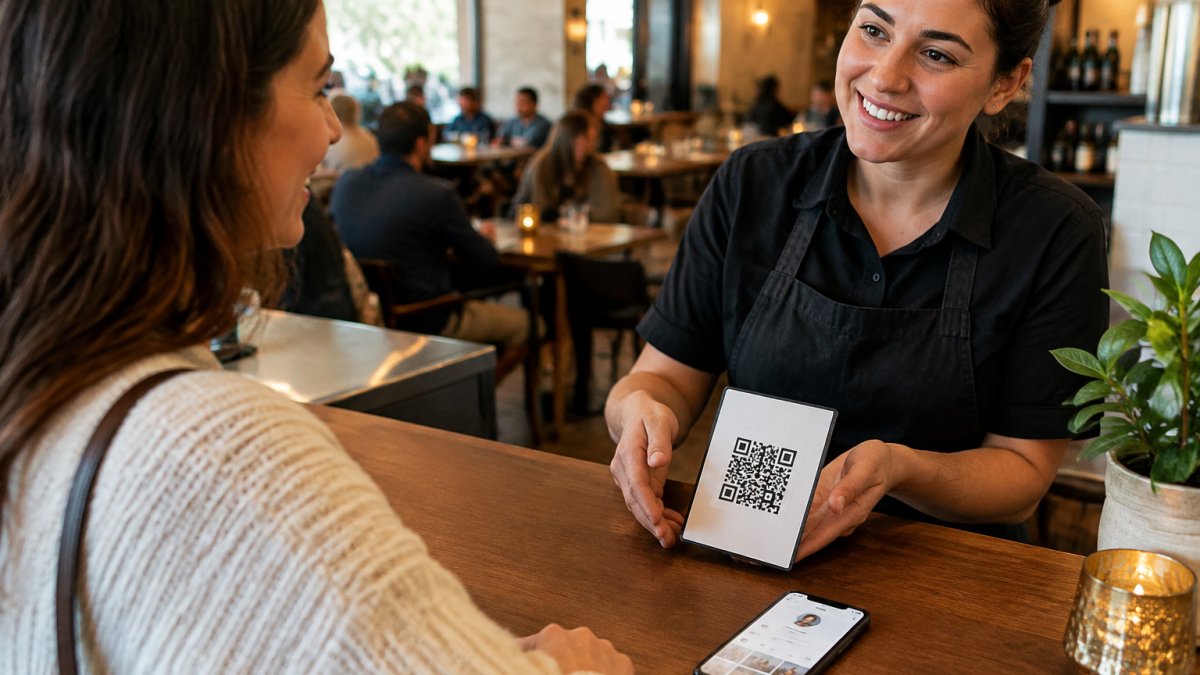
- Use the counter and tables. Place a printed QR code card at the host stand and on each table. Point the QR code at the same landing page and add a short line explaining the perk.
- Ask at the right moment. Invite people when they are happy, such as after they pay or after a birthday visit. Staff who mention the perk by name convert better than a card alone.
- Confirm consent right away. Send a short welcome email that confirms the signup and sets expectations. Include what subscribers will get and how often.
- Promote the list on social. Post occasionally about list-only perks so followers see the value. Rotate the perk so the same followers do not tune out.
Platform-Specific Tactics for Instagram, Facebook and TikTok
Each platform needs a slightly different approach. Keep these tactics short and specific:
- Instagram: Put the signup link in your bio and feature it in Stories with a link sticker. Use a Story highlight labeled with the perk so new followers can find it later. In feed posts, tell followers the link is in the bio rather than repeating the URL.
- Facebook: Pin a post that explains the list perk and includes the signup link. Use Facebook's lead form ads if you run paid promotion, and connect the form to your email platform so new leads flow in automatically.
- TikTok: Mention the list in your video captions and point viewers to your profile link. Because TikTok links are less clickable in captions, repeat the call to action in the video itself and in the profile bio.
Engagement is not the same as list growth. Track how many new subscribers each platform brings, not only how many likes you get. A common pattern is that one platform produces most of the signups while another produces most of the reach, and knowing which is which tells you where to spend effort.
Consent, Privacy and List-Quality Safeguards
Only add people who chose to join. Explicit opt-in means the person took an action, checked a box, submitted a form, or confirmed in a welcome email, rather than being added because they followed you or bought a meal.
- Disclose what they are signing up for. State the type and frequency of messages on the signup form and in the welcome email.
- Keep a clear unsubscribe link in every email and honor opt-outs quickly. Under the CAN-SPAM Act, commercial email must include a working unsubscribe mechanism and a physical postal address (the FTC).
- Store only the data you need, such as name and email, and protect it. Do not collect information you cannot secure.
- Never add scraped or purchased follower data to your list. Buying email lists or adding customers who never opted in will hurt your deliverability and damage trust fast.
Watch out: importing a social follower export into your email platform without consent can trigger spam complaints and get your sending domain blocked, which is far harder to recover from than a slow list build.
Measuring Social-to-Email Conversion
Set up a simple measurement framework before you promote the list, so you can tell which channel and which offer deserve more effort.
- Signup conversion rate: new subscribers divided by landing-page visits, tracked per platform and per offer.
- Source attribution: use a unique landing page or UTM-tagged link for each platform so every signup carries its origin.
- Campaign engagement: open and click rates on the welcome email and the first few sends, compared by signup source.
- Downstream visits and orders: tie list-only offers to a code or link you can count, so you can see whether social-sourced subscribers actually visit or order.
Review the numbers monthly. If one platform produces signups that never open, the offer or the audience match is wrong, not the email platform.
The steps below summarise the process for converting followers into subscribers, with the timing or placement for each.
| Step | What to do | Timing or placement |
|---|---|---|
| 1. Pick one reason to join | Offer early access, a members-only drink special or a monthly perk | One offer at a time |
| 2. Put the signup link where people look | Add it to Instagram and Facebook bios and the TikTok profile | One landing page per platform |
| 3. Use the counter and tables | Place a printed QR code card at the host stand and on each table | Same landing page as the bios |
| 4. Ask at the right moment | Invite people after they pay or after a birthday visit | When guests are happy |
| 5. Confirm consent right away | Send a short welcome email that sets expectations | Immediately after signup |
| 6. Promote the list on social | Post occasionally about list-only perks and rotate them | Occasionally, rotating perks |
Restaurant Email Examples You Can Adapt Today
Good restaurant emails are short, specific and tied to a real reason to visit. Here are three you can adapt:
- Welcome email: "Thanks for joining. Your first perk is a free appetizer on your next visit. Show this email at the host stand."
- Seasonal menu email: "Our fall menu is here. Members get first tasting on Thursday, 5 to 7 p.m."
- We miss you email: "It has been a while. Here is a 15% off coupon for your next dinner."
Keep each email to one offer and one button. Automate the welcome and win-back emails so they go out without extra work.
Restaurant Email Marketing Best Practices for Frequency, Consent and Privacy
Frequency matters.
Consent matters too. Only add people who chose to join. Keep a clear unsubscribe link in every email, and honor opt-outs quickly. Store only the data you need, such as name and email, and protect it. Learn how to structure and organize your subscriber records so each contact stays useful.
Watch out: Buying email lists or adding customers who never opted in will hurt your deliverability and damage trust fast.
Restaurant Email Marketing for Social Media Followers Template
Use this template for your first social-to-email post:
"Join our list and get [specific perk] on your next visit. Sign up at [your link] in under a minute. Members hear about new dishes and events first."
Replace the bracketed parts with your real offer. Keep the promise specific and easy to claim.
Using Mailchimp for Restaurant Email Marketing
Mailchimp is a common choice for restaurant email because it bundles signup forms, automations and reporting in one place. The setup matters more than the tool, so build it in a deliberate order.
- Create one audience and one signup form per source. Keep separate forms or tags for Instagram, Facebook, TikTok and in-store QR codes so every subscriber carries a source label.
- Connect the forms to your social links. Use the form's hosted landing page as the link in your bios and Stories, and point QR codes at the same page with a source tag.
- Build a welcome automation. Trigger it on signup, deliver the promised perk, and set expectations for frequency.
- Segment by behavior, not just source. Separate regulars from first-time guests using tags or groups, then send each group a different offer. Source tags let you compare which platform produces engaged subscribers.
- Automate the win-back send. Use a date-based or inactivity trigger to reach subscribers who have not opened in a set period, and keep the offer simple.
- Check open and click rates after each send, and keep what works. Compare by segment and by source so you can retire offers that do not convert.
Watch out: sending the same campaign to every segment at once inflates unsubscribes and hides which offer actually worked, so segment before you send rather than after.
If Mailchimp's pricing or feature set does not fit, the same structure, source-tagged forms, a welcome automation, behavior segments and a win-back send, transfers to most email platforms, so the plan is portable.
Start Your First Social-to-Email Campaign This Week
Pick one offer, add one signup link to every social profile you use, and print one QR code card for the host stand. You can also learn how to design a subscription landing page that captures these sign-ups. Send your first welcome email within 24 hours of each signup.
Our members at The Regulars Club use this kind of plan to turn followers into regular guests. If you want a structured way to do this, the Restaurant Membership Program is a good next step. Start with one simple offer and build from there.
Frequently Asked Questions
How often should restaurants email their subscribers?
Sending a steady, predictable rhythm usually keeps guests engaged, while sending too often can wear down the list. A steady, predictable rhythm usually keeps guests engaged without wearing down the list. Start at the lower end, watch your unsubscribe and click-through rates for a few weeks, and adjust from there. Use the schedule to announce real news such as seasonal menus, events or member-only offers, so each email gives guests a reason to open it.
How can restaurants promote an email signup on social media?
Place a signup link or button in your Instagram and Facebook bios, and post occasionally about list-only perks so followers know the email list is worth joining. Featuring an Instagram post inside an email can connect both channels in both directions. Keep the ask simple: name the benefit, such as early access to a seasonal menu, and make the signup a single tap or click.
What should a restaurant include in a welcome email?
A welcome email should confirm the signup, thank the guest, and state clearly what they will receive and how often. Include your address, hours and a link to your menu, plus one concrete offer or perk that rewards the decision to subscribe. Keep the design mobile-friendly, since most guests will open it on a phone, and make sure the unsubscribe link is easy to find so the list stays made up of people who want to hear from you.
How can restaurants measure email marketing results?
Track open rate, click-through rate, and the number of guests who return or redeem an offer after each send. Also compare how many new subscribers each social platform brings in over time. Your own results matter most, so use them as your reference point. Review these numbers monthly and keep the campaigns that bring guests back.